
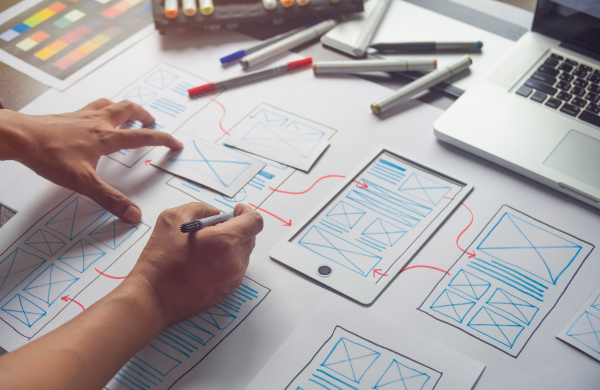
Prototyping is one of the most valuable activities in the UX design process because it allows designers to transform ideas into experiences that can be explored before full development begins. A prototype helps teams understand how users may navigate a product, interact with features, complete tasks, and respond to different interface elements. While simple sketches and wireframes are useful during the early stages of design, advanced prototypes can provide a more realistic representation of how a digital product may behave.
Modern UX projects often involve complex user journeys, interactive interfaces, personalized experiences, responsive layouts, and multiple connected systems. Designers therefore need prototyping techniques that go beyond static screens. Advanced prototypes can simulate transitions, interactions, conditional flows, animations, and realistic content. These capabilities help designers identify usability issues earlier and communicate product behavior more clearly to stakeholders and development teams.
Professionals exploring a UI UX Designer Course in Chennai can gain practical exposure to user research, wireframing, interaction design, prototyping, and testing methods that support the creation of effective digital experiences.
Understanding the Purpose of Advanced Prototyping
An advanced prototype is not simply a collection of visually attractive screens.
Its purpose is to answer specific questions about the user experience.
For example, a prototype may help a team evaluate whether users can complete a checkout process easily.
Another prototype may test how users respond to an interactive dashboard.
The level of complexity should match the problem being investigated.
A highly detailed prototype is not always necessary.
Designers should first identify what they need to learn.
This helps prevent unnecessary effort and keeps the prototype focused on meaningful interactions.
Moving Beyond Static Wireframes
Wireframes are useful for organizing content and planning layouts.
However, static screens cannot always demonstrate how an interface behaves.
Advanced prototypes can show transitions between screens and reactions to user actions.
A button can trigger a new state.
A menu can expand.
A form can display an error message.
These interactions provide a more complete view of the product experience.
Designers can identify potential problems that may not be visible in static layouts.
Interactive prototypes also help stakeholders understand the intended behavior without reading lengthy explanations.
Creating High-Fidelity Interaction Models
High-fidelity prototypes can closely represent the visual and interactive behavior of a final product.
They may include realistic content, typography, imagery, and interface states.
However, visual realism alone does not make a prototype useful.
The interactions should also reflect the expected user experience.
For example, a search feature can demonstrate how results change after a query.
A dashboard can show how filters affect displayed information.
High-fidelity models are particularly useful when testing important workflows or presenting complex product concepts.
Using Microinteractions Effectively
Microinteractions are small interface responses that occur when users perform actions.
Examples include:
- Button feedback
- Loading indicators
- Form validation
- Toggle changes
- Notification messages
These details can influence how users perceive an interface.
A prototype can help designers explore whether feedback is clear and timely.
Microinteractions should support usability rather than distract from the main task.
Too much animation can make an interface feel slow.
The purpose should be to provide useful feedback and create a smoother interaction.
Designing Interactive User Flows
Advanced prototypes can simulate complete user journeys rather than isolated screens.
A designer can connect multiple interactions to represent how a user completes a task.
For example, an e-commerce prototype may include product discovery, filtering, cart management, and checkout.
Testing a complete flow can reveal problems between stages.
A screen may work well individually but create confusion when connected with other parts of the journey.
Interactive flows help designers evaluate continuity across the experience.
Exploring Conditional Logic
Some digital products behave differently depending on user choices.
Advanced prototypes can simulate conditional logic.
For example, a form may show additional fields after a user selects a particular option.
A dashboard may display different information based on a selected role.
Conditional prototyping helps designers understand complex scenarios.
It can also reveal situations where users may become confused.
Designers should identify important decision points and test how the interface responds to different actions.
This is particularly useful for enterprise applications and multi-step processes.
Prototyping for Responsive Experiences
Users access digital products through different screen sizes.
A prototype should therefore consider how the experience changes across devices.
Responsive prototyping can help designers explore:
- Layout changes
- Navigation patterns
- Content priority
- Touch interactions
A desktop design may not translate directly to a mobile interface.
Advanced prototypes help designers test how interactions adapt to different contexts.
The goal is not simply to make screens smaller.
The experience should remain usable and understandable across devices.
Using Realistic Content and Data
Placeholder text is useful during early design.
However, realistic content can reveal problems that simple placeholder material may hide.
Long product names, large numbers, error messages, and complex labels can affect layouts.
Advanced prototypes should include realistic information when testing important scenarios.
Data-rich applications may also require sample charts, tables, and filters.
Using representative content helps teams understand how the interface may behave under realistic conditions.
This can improve the quality of usability testing.
Motion and Transition Prototyping
Motion can communicate relationships between interface elements.
For example, an expanding panel can help users understand where new information appears.
Transitions can also make navigation feel more connected.
However, motion should have a purpose.
Excessive animation can increase cognitive load.
Designers should consider timing and user expectations.
Advanced prototypes allow teams to experiment with motion before implementation begins.
This can help identify whether an animation improves understanding or simply adds decoration.
Prototyping Error and Empty States
Many prototypes focus only on successful user actions.
Real applications also include errors, delays, and situations where no information is available.
Advanced prototypes should include these states when they are important to the experience.
For example, a user may submit an incomplete form.
The interface should provide clear guidance.
An empty search result should explain what the user can do next.
Designing these scenarios improves the overall experience.
Users often evaluate a product based on how well it responds when something does not go as expected.
Using Prototypes for Usability Testing
Interactive prototypes can be used to observe how people complete specific tasks.
Participants may be asked to navigate a workflow while designers observe their actions.
Testing can reveal:
- Navigation problems
- Unclear labels
- Confusing interactions
- Missing feedback
The goal is not to prove that the design is correct.
Usability testing should identify areas that require improvement.
Advanced prototypes can make testing more realistic, but designers should avoid making them so complex that changes become difficult.
The prototype should support learning and iteration.
Collaborative Prototyping
UX design often involves collaboration between designers, researchers, developers, and business stakeholders.
A prototype can act as a shared reference point.
Instead of discussing an abstract idea, teams can explore the interaction directly.
Developers can better understand expected behavior.
Researchers can prepare usability tests.
Stakeholders can provide feedback based on a visible experience.
Collaboration is more effective when feedback focuses on specific user problems rather than personal visual preferences.
Design Systems and Reusable Components
Advanced prototyping can become more efficient when designers use reusable components.
Buttons, navigation elements, form fields, and other patterns can be organized within a design system.
Reusable components improve consistency.
They also make updates easier.
When an important component changes, the prototype can be updated more efficiently.
Design systems can support collaboration between UX and development teams.
However, designers should still consider the specific needs of each user journey.
Consistency should not prevent useful design improvements.
Simulating Complex Product Scenarios
Some products involve advanced workflows with multiple users or connected systems.
Enterprise platforms may include approval processes, notifications, dashboards, and role-based interfaces.
Advanced prototyping can help teams simulate these situations.
Designers may create different prototype paths for different user roles.
This approach can reveal inconsistencies between connected experiences.
Complex scenarios should be broken into manageable workflows.
Trying to prototype every possible feature at once can make the process difficult to maintain.
Balancing Prototype Fidelity and Speed
Not every idea requires a highly detailed prototype.
Low-fidelity approaches can be faster when teams are exploring broad concepts.
High-fidelity prototypes may be more appropriate when testing detailed interactions.
Designers should choose the level of fidelity according to the design question.
The key is to learn efficiently.
Spending excessive time creating visual perfection before testing a concept may slow down the design process.
Rapid iteration is often more valuable than creating a single elaborate prototype.
Developing Advanced Prototyping Skills
UX designers can strengthen their skills by practicing different prototyping approaches.
Projects can include responsive interfaces, conditional interactions, complex user flows, and realistic error states.
Professionals exploring a UI UX Designer Course in Trichy can gain exposure to user-centered design, interaction patterns, usability testing, and practical prototyping workflows.
Hands-on practice helps designers understand when different levels of prototype fidelity are useful.
It also improves the ability to communicate design ideas clearly across product teams.
Advanced prototyping techniques help UX designers explore complex interactions before development begins. By moving beyond static screens, designers can simulate user flows, conditional logic, responsive behavior, realistic content, and interface feedback.
These techniques support better usability testing and clearer communication between designers, developers, researchers, and stakeholders. However, the goal of prototyping is not to create a perfect copy of the final product. It is to answer important questions and identify problems early.
The most effective prototypes are purposeful, focused, and appropriate for the stage of the design process. As digital products become more interactive and complex, advanced prototyping will remain an important skill for creating user experiences that are clear, efficient, and responsive to real user needs.